🧪 TESTED BY ONLYFREEPROMPTS
Turn One Product Photo Into a Campaign
Create six useful product shots from one reference—without fake slash-code magic or silent product redesigns.
It replaces vague slash-code hype with a reference-led campaign plan, explicit product locks and a drift check after every image. Not 10/10: image models can still alter unseen geometry, labels and fine product details, so commercial assets need human review.
The core idea works: in our controlled test, a plain product photo became a convincing hero image while the main silhouette, lid and finish stayed recognisable. The viral 'codes' are not the important mechanism, and connected apps may be doing part of the work. The 9.2 score reflects a strong workflow with real limits: unseen sides, tiny labels and exact geometry can still drift.
MAKE IT YOURS
Tell the prompt what it needs
YOUR PROMPT
3217 charactersAct as a careful product-art director and image editor. I will attach at least one reference photo of the real product. Build a consistent six-image campaign from that product without pretending that short slash commands are magic features. Product: An unbranded matte-black insulated travel tumbler Audience: Busy commuters who want a durable, understated everyday cup Channel: Instagram carousel Visual direction: Premium, minimal and warm; charcoal studio surfaces with controlled amber rim light REFERENCE LOCKS — these must remain unchanged: Shape, dimensions, lid, matte-black finish and every visible product detail Text and logo rule: No added text, labels or logos. Preserve existing markings only if they can be reproduced accurately. Treat the attached image as the product source of truth. Do not infer hidden construction, internal components, measurements, materials, colours or features that are not visible or provided. Never copy another brand's logo, trade dress or campaign. If the image contains private information, a real person's face, an address, a serial number or another sensitive detail, stop and ask me to remove or approve it before editing. First, inspect the reference and return only a compact CAMPAIGN PLAN containing: 1. PRODUCT LOCKS List the visible geometry, finish, colours, lid or controls, markings and camera-facing details that every image must preserve. Mark anything unclear as UNKNOWN. If a logo or label must remain exact, warn that generated text can drift and recommend adding it later from the original artwork. 2. SIX SHOTS Design six distinct, channel-ready images: - clean marketplace image; - premium hero image; - close detail image; - realistic in-use image, only if scale and handling are clear; - alternate campaign composition; - motion concept or three-frame storyboard. Do not call this an actual 360-degree product view unless the supplied reference coverage supports all sides. For each shot specify goal, framing, background, lighting, aspect ratio, what changes and what must not change. Keep all six in one coherent campaign. Do not create a contact sheet or any images yet. 3. RISK CHECK Flag any shot likely to invent unseen details, distort proportions, misspell text, change identity or imply unsupported product claims. Replace weak shots with safer ones. Ask at most two questions, and only when the answers materially affect product fidelity or safe use. Otherwise state assumptions. End with: APPROVE THE PLAN OR NAME A SHOT TO CHANGE. After I approve, generate or edit ONE shot at a time. Before each shot, restate its reference locks. Use the original product reference again for every new image. After each result, compare it with the reference and report: - PRESERVED; - CHANGED INTENTIONALLY; - POSSIBLE DRIFT; - RETAKE NEEDED: YES or NO. If the product itself, its logo, label, cap, controls, proportions or material drifted, do not praise the result. Say exactly what changed and propose one targeted retake prompt. Never claim pixel-perfect identity, a real camera setup, legal advertising compliance or a finished video unless those things were actually verified. Return practical, production-ready work in plain English.
WHY TRY IT?
Viral posts make these results look like secret commands. The useful part is simpler: one strong reference, explicit product locks, a shot plan and a comparison after every image.
Create six useful product shots from one reference—without fake slash-code magic or silent product redesigns.
EXAMPLE RESULT
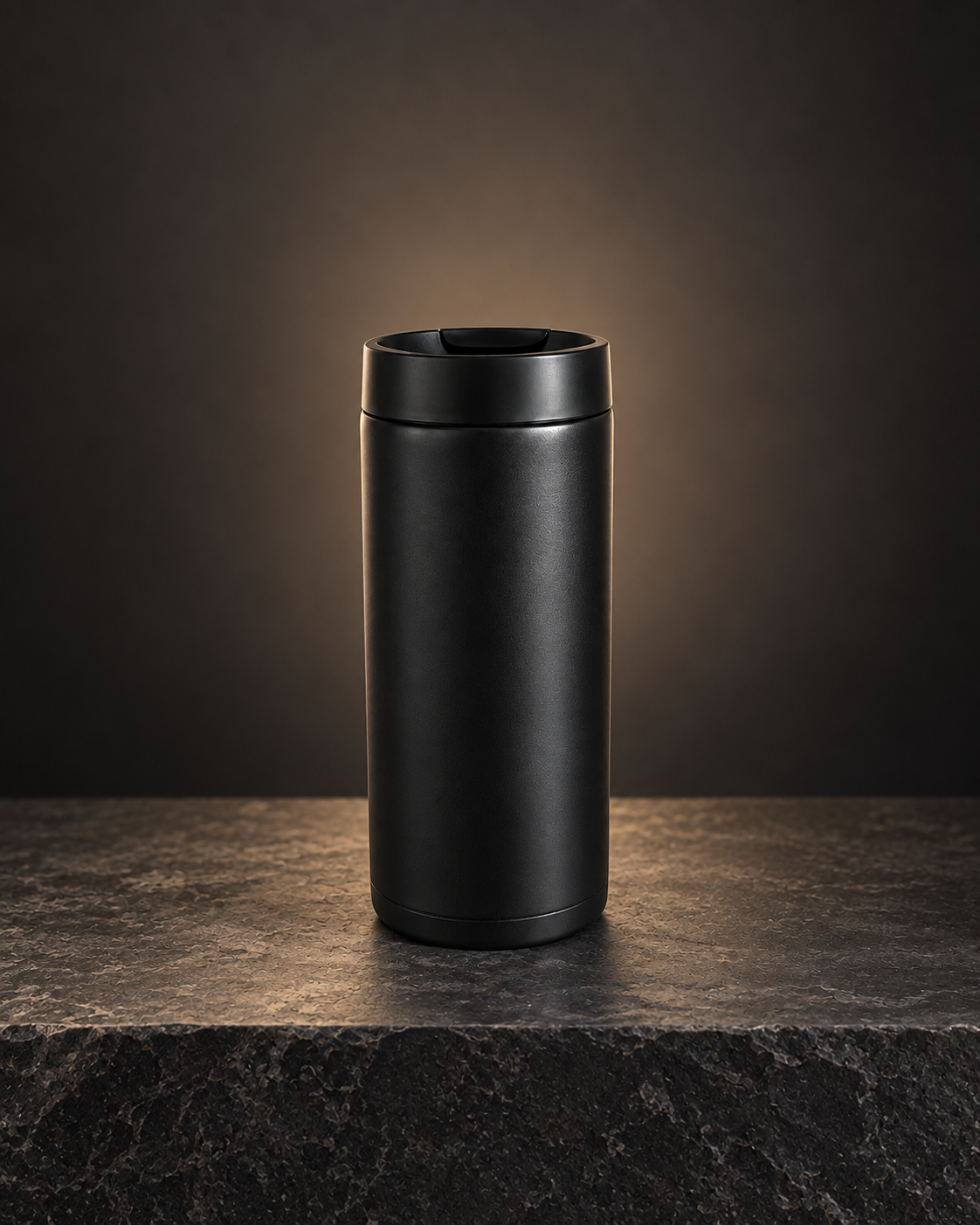
SHOT 2 · HERO: the same matte-black tumbler, centred on a dark stone plinth with warm rim light. PRESERVED: silhouette, lid and finish. CHANGED INTENTIONALLY: background and lighting. POSSIBLE DRIFT: the lower rim appears slightly taller. RETAKE NEEDED: YES.
Use a sharp, evenly lit reference and photograph the product from more than one angle when exact geometry matters. Generate one shot at a time, and add logos or small legal copy later from the original artwork rather than trusting generated text.
WHAT HAPPENED WHEN WE TESTED IT
The core idea works: in our controlled test, a plain product photo became a convincing hero image while the main silhouette, lid and finish stayed recognisable. The viral 'codes' are not the important mechanism, and connected apps may be doing part of the work. The 9.2 score reflects a strong workflow with real limits: unseen sides, tiny labels and exact geometry can still drift.
We rewrote the viral version to be more honest, more useful and less likely to overclaim. The prompt above is our better version.
WE ACTUALLY RAN IT
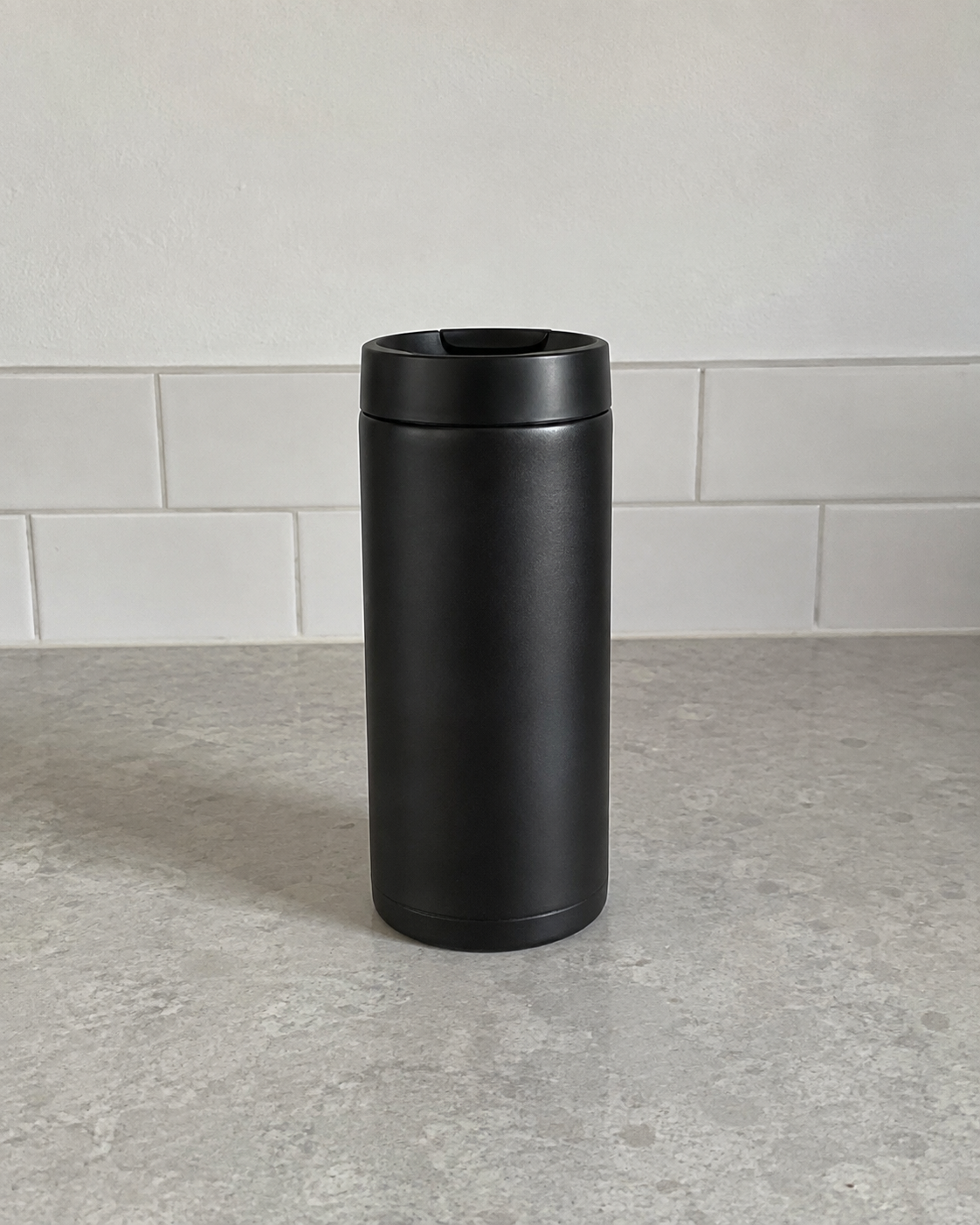
One ordinary photo. One controlled edit.
We created a plain, unbranded test photo and asked the image editor to change only the environment, lighting and photographic polish. The main silhouette, lid and matte-black finish stayed recognisable. Fine geometry can still drift, which is why the prompt checks every result instead of promising perfection.
It turns a weak flat-lay into a convincing catalogue image and explicitly checks the result against reference locks. Not 10/10: the model still invents the three-dimensional fit, sleeve pose and folds, and small garment details can drift.